

Products to compare
One letter changes the TV series
OLED55B4PUA and OLED55C4PUA are both 55-inch 2024 LG OLED models, but B4 and C4 identify different series. These older models illustrate why the full code matters.
Use the B4 as a price reference when its verified features meet your needs. Pay extra for the C4 only for a documented benefit in your room or setup. Check current alternatives before buying remaining older stock.
These links lead to product listings or manufacturer buying options. PriceChomp earns no commission from them. How our links work.
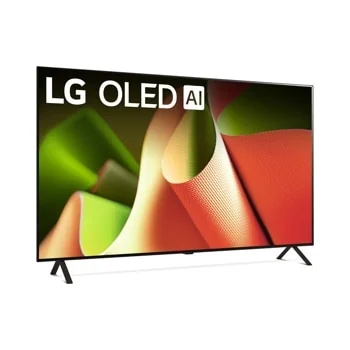
The B-series reference
LG OLED55B4PUA
55-inch B4-series 4K OLED TV from the 2024 range; 120Hz refresh rate.
- Why choose it
- Its exact code lets you compare like-for-like offers without borrowing a C4 review or a different screen size's specifications.
- The tradeoff
- An OLED label and 120Hz rating do not establish identical brightness, processing, or inputs across models.
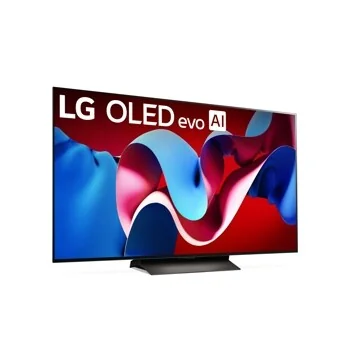
A separate series to verify
LG OLED55C4PUA
55-inch C4-series 4K OLED TV from the 2024 range. This is a different series from the B4.
- Why choose it
- Use the C4 product specifications for the exact 55-inch model when comparing features and connections.
- The tradeoff
- Do not treat the one-letter change as a cosmetic retailer suffix. Verify condition, warranty, delivery, and the complete model on the carton.
Product details checked against the linked manufacturer and retailer pages. These are research-based comparisons, not hands-on tests. Check the selected model, current price, availability, and return terms before buying.
Capture the entire product identity
Record the brand, full model number, screen size, model year, region, and retailer suffix exactly as shown. Do not compare only the family name. Manufacturers may sell several performance tiers within one series, and warehouse or retailer variants can have a different stand, remote, speaker system, color, bundled service, or warranty arrangement.
Search the complete model code on the manufacturer support site. A matching manual or specification page is stronger evidence than a marketplace title. If the exact suffix does not appear, ask the retailer or manufacturer what differs before treating another listing as the same product.
Choose around the room and content
Screen size should follow viewing distance, seating pattern, and the quality of the content you watch. Bright rooms put more pressure on brightness and reflection handling. Wide seating makes off-angle performance more important. Movie watching in a dark room emphasizes black level, local dimming behavior, and uniformity.
Sports, games, news, and films stress different traits. List your top three uses and compare evidence for those uses. A television that is excellent for dark-room films may not be the best value in a sunlit family room, and a gaming feature you cannot use should not control the purchase.
| Situation | Prioritize | Verify carefully |
|---|---|---|
| Bright room | Brightness and reflection control | Performance with your typical daylight |
| Wide seating | Viewing-angle consistency | Color and contrast away from center |
| Movies at night | Black level and local dimming | Blooming, shadow detail, uniformity |
| Current game console | Input latency and compatible ports | Resolution and refresh features per port |
Be skeptical of refresh and motion labels
Marketing motion numbers may not equal the native panel refresh rate. Find the actual panel behavior and the supported signal formats. For gaming, verify which HDMI ports support the desired resolution, refresh rate, variable refresh behavior, and other console or computer requirements simultaneously.
Motion interpolation can make some video appear smoother, but preference varies and it does not turn a lower-refresh panel into a higher-refresh one. Check whether the television provides enough control to adjust or disable processing for different sources.
Count usable connections, not logo badges
Map every device you expect to connect: game consoles, soundbar or receiver, streaming box, antenna, computer, and legacy equipment. One HDMI port may be consumed by audio return. Some high-bandwidth features may be limited to selected ports. Port placement also matters when the screen will be wall-mounted.
Confirm wireless standards, headphone options, tuner support, accessibility features, and whether the smart platform carries the services you use. Smart software changes over time, so do not pay a large premium solely for an interface that an external streamer can replace cheaply.
Price the full installation
Add the stand or mount, suitable cables, sound solution, delivery, haul-away, installation, and any furniture changes. Check the television dimensions with and without the stand, stand-foot spacing, VESA mount pattern, weight, and connector clearance. A screen that fits the wall may not fit the existing console.
Review return conditions for large electronics, including restocking terms, pickup requirements, damaged-delivery procedure, and the time available to inspect the panel. Test all inputs, speakers, network features, and a range of content promptly. Keep the packaging until you are confident the unit is functioning as expected.