
Products to compare
Choose the dock around the maintenance you want to avoid
These two Roomba packages illustrate the difference between emptying dry debris and also washing mop pads. The dock is part of the product comparison.
Start with the 105 Combo if manual mop care is acceptable. Choose the 415X when automated pad washing is valuable enough to justify the complete package and you have room to service its dock.
These links lead to product listings or manufacturer buying options. PriceChomp earns no commission from them. How our links work.
For vacuuming with occasional mopping
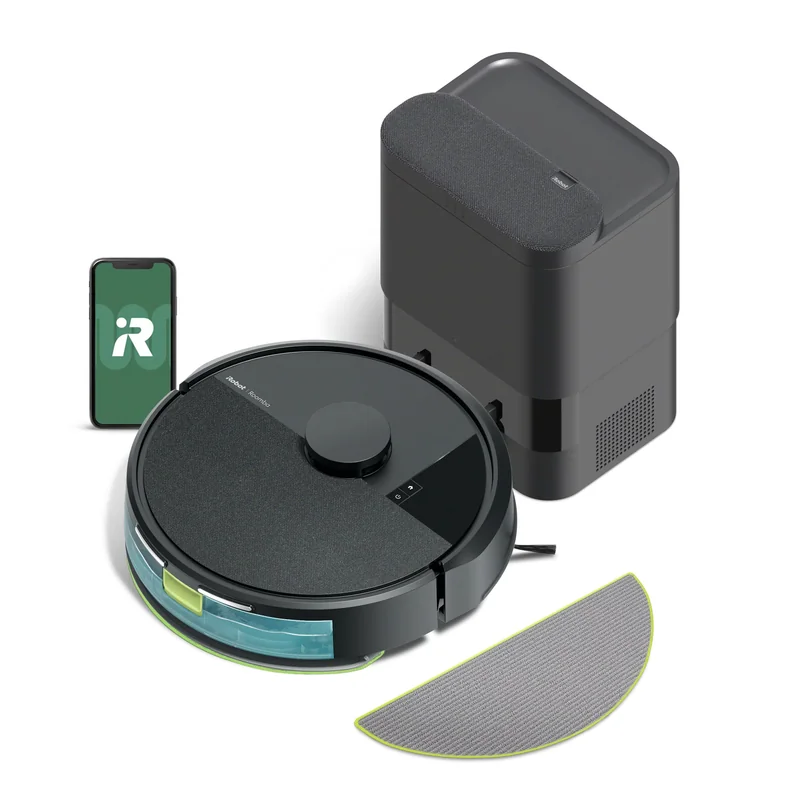
Roomba 105 Combo + AutoEmpty dock
Vacuum-and-mop robot with LiDAR navigation, a microfiber mop pad, and a dock that empties dry debris. Select item y351420.
- Why choose it
- The AutoEmpty dock handles dry debris while the robot offers a separate microfiber mopping function.
- The tradeoff
- AutoEmpty does not wash the mop pad. Include pad care, bags, filters, and obstacle pickup in the ownership plan.
For more automated mop care
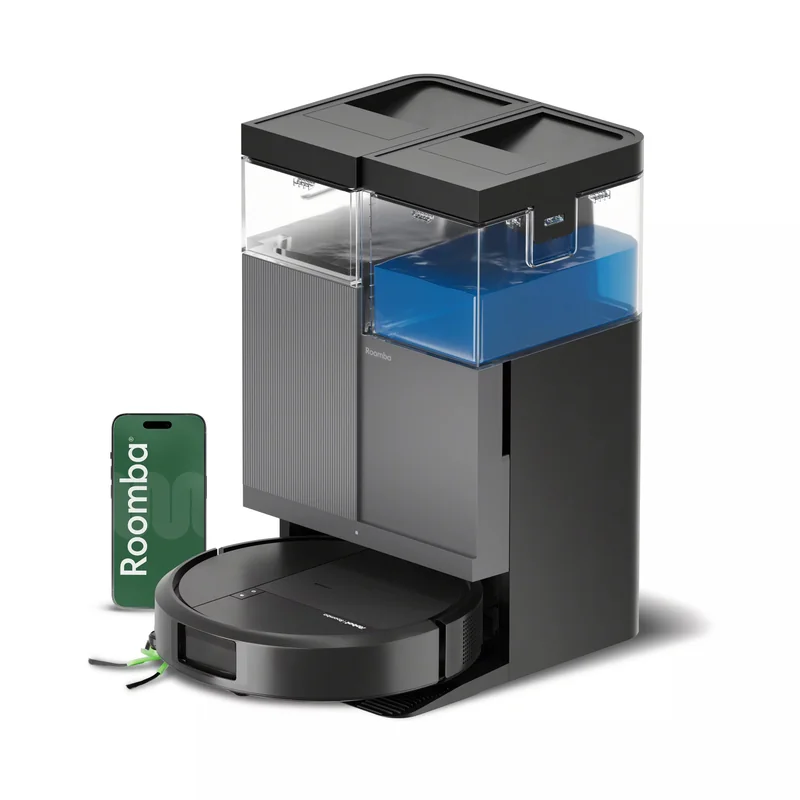
Roomba Plus 415X Combo + AutoWash dock
Vacuum-and-mop robot with DualClean mop pads and a dock that washes and heat-dries them. Item G284020.
- Why choose it
- The AutoWash dock washes and heat-dries the pads, addressing a specific recurring maintenance task.
- The tradeoff
- The dock still needs servicing. Measure placement and access, and check consumable costs instead of assuming the higher tier is maintenance-free.
Product details checked against the linked manufacturer and retailer pages. These are research-based comparisons, not hands-on tests. Check the selected model, current price, availability, and return terms before buying.
Audit the home before comparing robots
Walk the cleaning area and record hard floors, rugs, carpet depth, transitions, thresholds, stairs, low furniture, dining-chair density, cords, pet bowls, toys, and rooms that should remain off limits. Measure the lowest furniture you expect the robot to enter and the tallest threshold it must cross.
A sophisticated navigation system cannot make every home robot-friendly. Loose charging cords, lightweight mats, fringe, dark drop-offs, and crowded chair legs can create recurring failures. Decide which obstacles you are willing to change and which the machine must handle on its own.
Choose a navigation and control level
Basic robots may clean using simpler movement patterns, while mapping models can divide rooms, establish zones, and support targeted runs. Camera, lidar, structured-light, and other sensing approaches have different height, darkness, obstacle-recognition, and privacy tradeoffs. The technology name alone does not guarantee good behavior.
Look for evidence that the exact model can save the number of floors you need, edit room boundaries, create no-go areas, and recover after being moved. If household members will not use an app, confirm that essential start, stop, return, and schedule controls are available another way.
| Feature | Useful when | Question to ask |
|---|---|---|
| Room mapping | You want targeted or scheduled areas | Can maps be edited and stored for each floor? |
| Object avoidance | Cords, toys, or pet items are common | Which obstacles does the exact model recognize? |
| Self-empty dock | Frequent manual bin emptying is the main barrier | What do bags and filters cost? |
| Mop washing or drying | Routine hard-floor mopping matters | How much dock cleaning and floor space are required? |
Treat mopping claims carefully
A damp pad dragged across the floor is different from an active scrubbing system, and neither replaces every manual cleaning task. Compare pad pressure or movement, water control, carpet avoidance, pad lifting, cleaning-solution restrictions, and how dirty water is handled.
If rugs and hard floors share a room, confirm the exact behavior when the mop is attached. Some machines lift the pad, some avoid carpet, and some require a separate vacuum-only run. Consider the entire routine, including filling clean water, emptying dirty water, washing pads, and cleaning the dock tray.
Price consumables and maintenance time
Main brushes, side brushes, filters, mop pads, dock bags, cleaning solution, and replacement batteries can create a meaningful ownership cost. Check recommended replacement intervals, current prices, and availability from sources you trust. A deeply discounted robot can become frustrating if ordinary parts disappear.
Hair must still be removed, sensors wiped, bins and channels cleared, and brushes inspected. Self-empty and self-washing docks move work around rather than eliminating it. Choose the dock that reduces the task you dislike without adding a maintenance routine you will ignore.
Review privacy, support, and failure recovery
Connected robots may collect maps, device identifiers, usage data, diagnostic information, or images depending on design and settings. Read the current privacy policy and account requirements for the exact model. Check whether core cleaning still works during an internet outage and how maps or account data can be deleted.
Look for clear warranty service, replacement-part access, and documented battery replacement. Read the return policy before running the machine through a dirty home, since used-cleaning-equipment rules can differ. Test edge cleaning, docking, thresholds, rugs, obstacle handling, and room selection while the return window is open.