

Products to compare
Separate stored energy from output power
The RIVER bundle and DELTA station show two different limits: how much energy is stored and how much power the AC outlets can supply at once.
Choose the 572Wh RIVER bundle if its 600W rated output covers your loads and the delivered price makes sense. Choose DELTA 3 when you need its 1800W output or more stored energy. Calculate runtime with conversion losses and reserve.
These links lead to product listings or manufacturer buying options. PriceChomp earns no commission from them. How our links work.
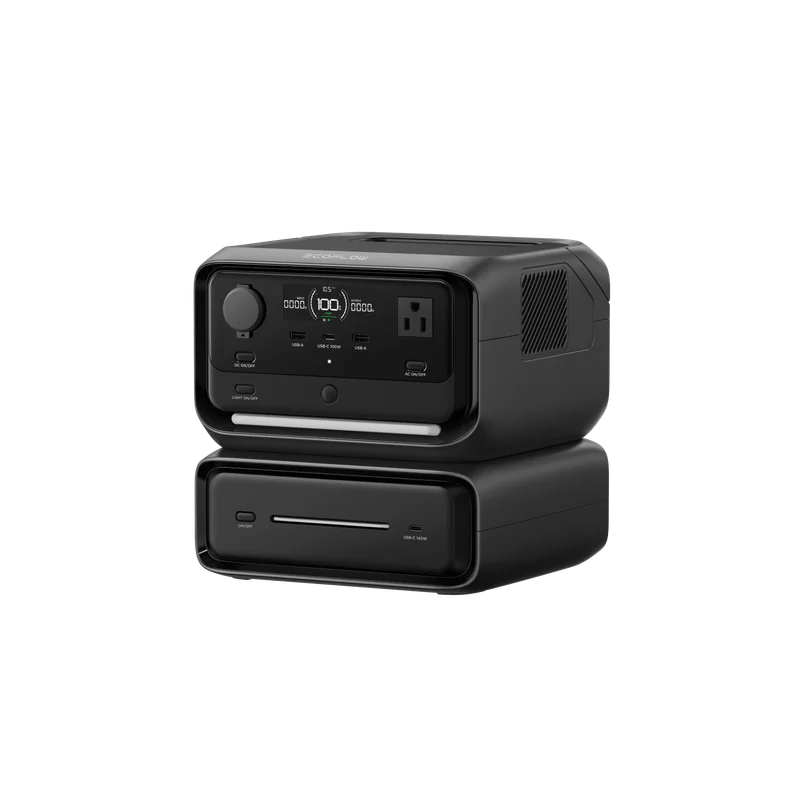
For lower-power loads
EcoFlow RIVER 3 Max bundle
RIVER 3 Plus with EB300 extra battery: 286Wh + 286Wh, or 572Wh total nominal capacity; 600W rated AC output.
- Why choose it
- The two 286Wh batteries total 572Wh nominal capacity. This makes the extra battery's contribution explicit.
- The tradeoff
- The extra battery adds energy, not a higher AC output limit. Do not treat X-Boost as ordinary rated output.
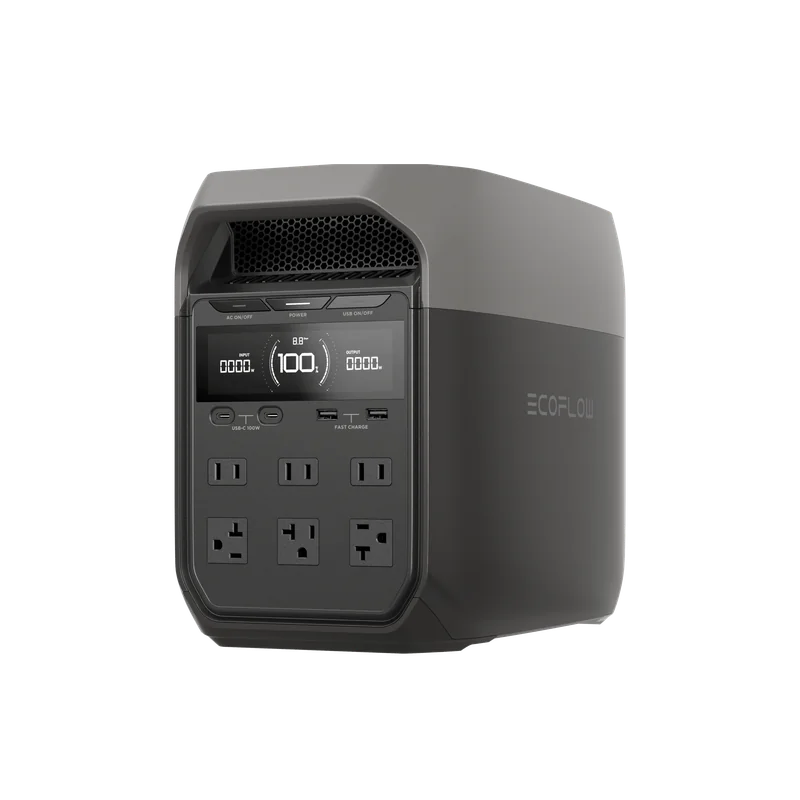
For a larger energy and power budget
EcoFlow DELTA 3
1024Wh nominal capacity and 1800W total rated AC output. Compare the standalone station, without solar panels.
- Why choose it
- Its 1024Wh capacity and 1800W output give more room for a measured load plan.
- The tradeoff
- Nominal watt-hours are not all usable at the outlet. A compatible solar panel is a separate purchase, and high loads deplete the battery quickly.
Product details checked against the linked manufacturer and retailer pages. These are research-based comparisons, not hands-on tests. Check the selected model, current price, availability, and return terms before buying.
Separate energy capacity from output power
Watt-hours describe stored energy. Watts describe how much power the unit can deliver at a moment. A station may have enough energy for a task but still be unable to start or run a device whose continuous or surge demand exceeds its inverter limit.
Estimate runtime by multiplying device watts by hours, then allow for conversion losses and reserve. Manufacturer app estimates are helpful, but your device meter or a plug-in power meter gives better evidence for the equipment you actually own.
Check every relevant output limit
Review total AC output, per-port limits, surge behavior, USB power profiles, and regulated 12-volt output. Marketing may highlight a temporary boost mode that reduces voltage or supports only certain loads. Do not treat that as equal to full rated continuous output.
Understand charging and battery tradeoffs
Compare wall-charge time, solar input voltage and current ranges, car-charging behavior, and whether special cables are included. Solar panel wattage alone does not guarantee compatibility. The panel array must remain inside the station input limits.
Battery chemistry, temperature limits, stated cycle-life conditions, replacement options, and warranty coverage help explain long-term value. Cycle claims are useful only when you read the remaining-capacity threshold and test conditions attached to them.
Buy for a defined load plan
Write down the devices, measured running watts, starting demand, required hours, and charging opportunities. Add cables and panels to the total cost. For emergency use, test the full setup before it is needed and follow all safety guidance. A portable power station is not a substitute for required home electrical work or a properly installed transfer system.
Turn watt-hours into a conservative runtime estimate
Start with the energy rating, then reserve capacity for conversion losses, temperature, battery protection, and uncertainty. Divide the conservative usable watt-hours by the measured watts of the device. A 500 watt-hour nameplate does not mean a 100-watt device will run for exactly five hours through every output type.
For devices that cycle, such as refrigeration, measure or estimate energy over time rather than using only the peak label. For motors and compressors, also confirm that startup demand fits the inverter. Runtime and startup are separate gates, and the station must pass both.
Read the warranty and support path
Compare the warranty length, battery coverage, cycle-life conditions, repair process, shipping responsibility, and whether the battery is replaceable. Large power stations can be expensive or restricted to ship, so a mail-only service path deserves attention. Check access to cables, adapters, fuses, and expansion batteries for the exact generation.
If emergency readiness is the goal, test the load plan and charging methods regularly within the manufacturer guidance. A station stored without a maintenance routine can provide false confidence even when its original specifications looked adequate.